
How to buy crypto
We accept BTC, USDT and USDC. This guide explains how to buy USDT or USDC with Trust Wallet or on an exchange such as Coinbase or Kraken, then how to send the payment for your order.
Part 1. Buying in Trust Wallet
- Open Trust Wallet and tap Buy on the home screen.
- Find and choose USDT or USDC. If the app asks you to pick a network, choose the one you will pay in (for example TRON (TRC-20) or BNB Smart Chain (BEP-20)).
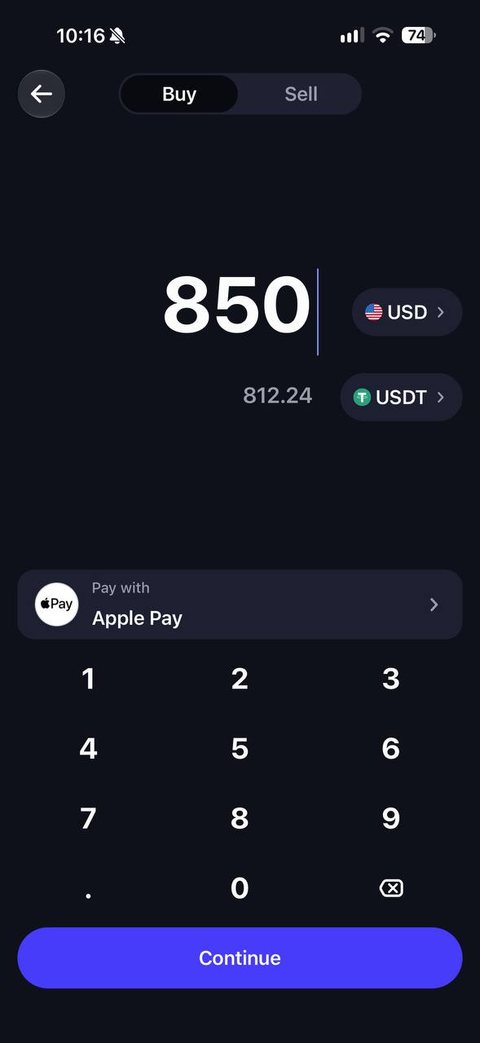
- Choose the currency, enter the amount and choose a payment method: card, bank transfer, Apple Pay, Google Pay or local payment methods.
- Choose a payment provider. The app shows the available providers with their fees.
- Tap Buy and complete the payment in the provider’s window. If required, go through the provider’s identity check (KYC).
- Wait for the funds to arrive. The crypto will be credited to your wallet address in the app.
- To pay for your order, tap Send, choose the coin and paste the address and the amount from the cart. For the network fee you need the native coin in your balance: TRX for TRC-20, BNB for BEP-20, ETH for ERC-20 and Arbitrum.
Part 2. Buying on an exchange
You can buy USDT or USDC on a large exchange, for example Binance, Kraken, Coinbase, Bybit or OKX. Which exchanges and payment methods are available depends on your country, so pick one that works in your region.
- Sign up and complete the identity check (KYC).
- Buy USDT or USDC in the buy section (Buy crypto) by card, bank transfer, Apple Pay or Google Pay. Many exchanges also have a P2P section where you can buy from other users.
- Open withdrawal (Withdraw), choose the coin, paste the address from the cart and choose the same network as in the cart.
- Check the withdrawal fee: if the exchange deducts it from the amount, add it on top so that at least the order amount reaches us.
Buy only on trusted platforms and never send money to unknown sellers outside the platform.
How to send the payment for your order
- Add the products to the cart, fill in the delivery details and tap the payment button.
- Choose the coin (USDT or USDC) and the network.
- Copy the address and the amount from the cart. Send the exact amount in the chosen network.
- Tap “I have paid”. The site checks the transfer on the blockchain, usually within 1–2 minutes.
Important: for token payments, send only USDT or USDC and only in the network you chose in the cart. For BTC, use only the Bitcoin network. A transfer in another network or with another coin means the funds are lost. The amount must be no less than the one shown.
This is an informational guide, not financial advice. The terms and fees of Trust Wallet, providers and exchanges change: check them in the app before you buy. If anything is unclear, message us in the chat.